In the post on Wolfram Cloud MCP, we are using the following prompt to create and display the plot in Ghostty.
Use the Wolfram to generate a plot of Plot[Sin[x], {x, 0, 10}]. Take the resulting output URL or image payload and display it inline using your image-view tool.
Clearly, it is too tedious to write a prompt this long every time, and we can create a skill to simplify it. A skill is essentially a series instruction for AI agents to perform multiple-step workflow.
With the skill, the prompt can be done in this simple way:
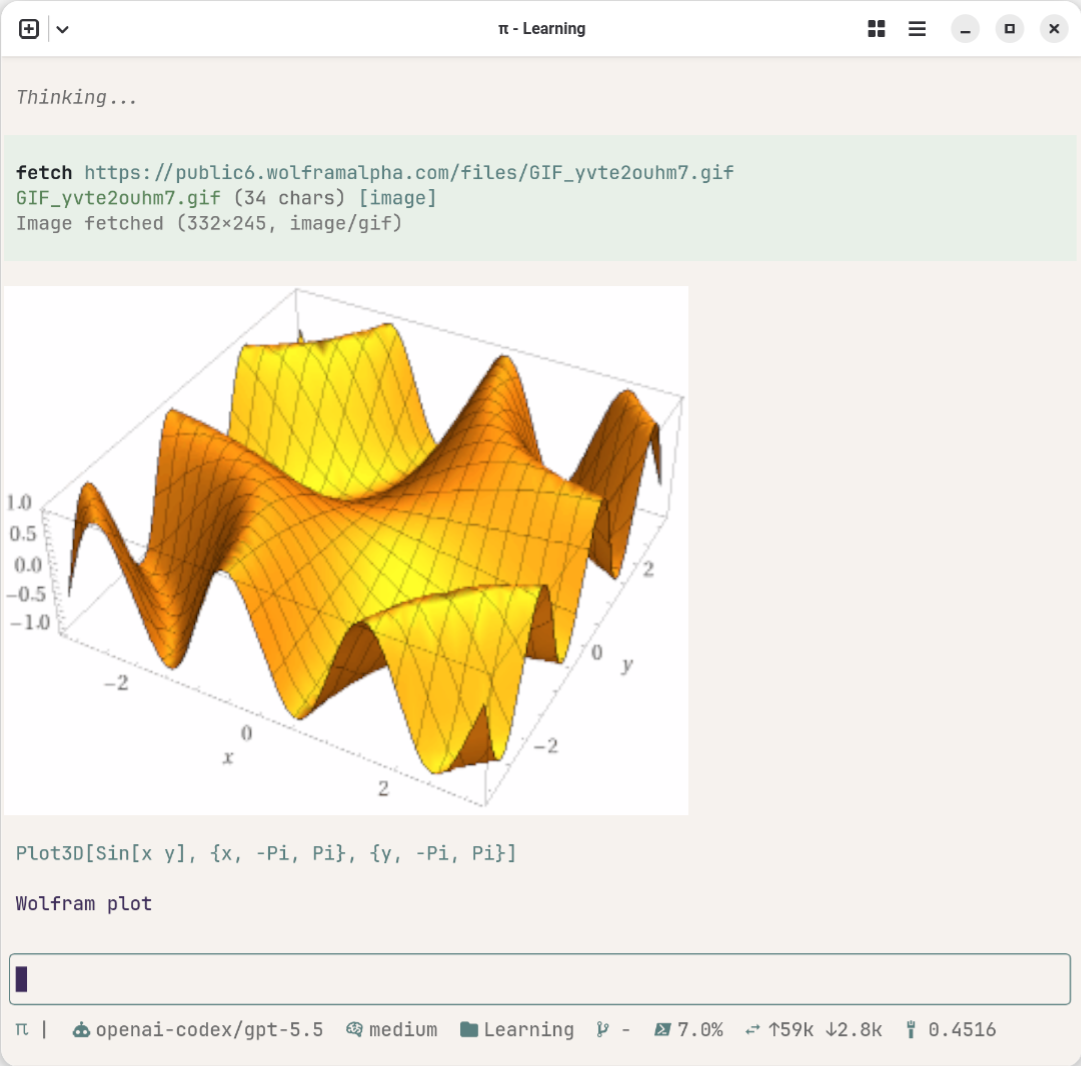
/skill:wolfram-plot sin[xy] {x, -pi, pi}, {y, -pi, pi}
The AI agent will first sent the request to Wolfram Cloud MCP to generate the plot, then in the next step, find out the image url, finally pull the image and display it.
The skill is at this location (global skills folders): .agents/skills/wolfram_plot/SKILL.md.
Here is the complete skill file:
1---
2name: wolfram-plot
3description: Generate Wolfram Language plots through the Wolfram MCP tools and display the resulting image inline. Use when the user asks for a Wolfram plot, WL Plot/ListPlot/ParametricPlot/etc., or says wolfram_plot.
4---
5
6# Wolfram Plot
7
8Use this skill to turn a short request such as `wolfram_plot Plot[Sin[x], {x, 0, 10}]` into an inline plot image.
9
10## Workflow
11
121. Call `mcp_wolfram_WolframContext` first with a natural-language summary of the requested plot.
132. Call `mcp_wolfram_WolframLanguageEvaluator` with the exact Wolfram Language plot expression.
14 - Example code: `Plot[Sin[x], {x, 0, 10}]`
15 - If the evaluator returns a formatted markdown image/link, use that directly in the final answer.
16 - If the evaluator returns an image payload like `[Image: image/png, base64 encoded]`, treat it as the generated plot result.
173. If an inline-displayable URL is needed, use the Wolfram context/alpha result to locate the one-line image URL for the same expression, then call `fetch_content` on that image URL so it is displayed inline by the image-view tool.
184. Final response should be short: include only the inline image markdown and, if helpful, one sentence identifying the expression.
19
20## Display pattern
21
22When a public image URL is available:
23
24```markdown
25
26```
27
28When the image-view tool has already displayed the fetched image, still include the markdown image if a URL exists.
29
30## Examples
31
32User can say any of:
33
34- `wolfram_plot Plot[Sin[x], {x, 0, 10}]`
35- `Plot Sin[x] from 0 to 10 with Wolfram`
36- `/skill:wolfram-plot Plot[Sin[x], {x, 0, 10}]`
37
38For the example, evaluate:
39
40```wl
41Plot[Sin[x], {x, 0, 10}]
42```
43
44Then fetch/display the resulting Wolfram image URL inline.