Wolfram Local MCP
Since Wolfram (or Mathematica) 15.0, it supports Wolfram Local MCP out of the box. I have already let Wolfram configured the MCP server for Claude desktop, so we can reuse the configuration file for pi.dev.
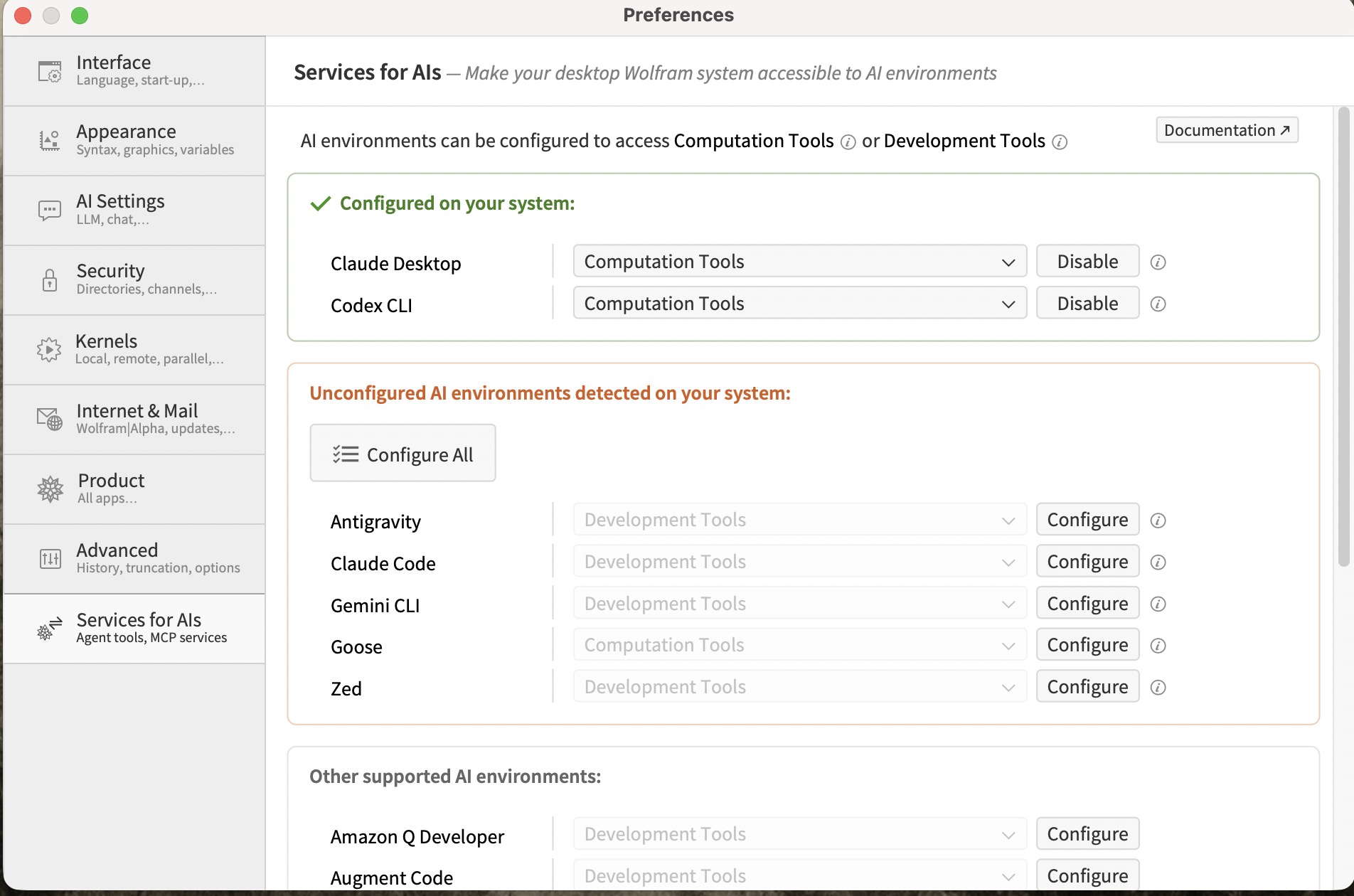
Note: the following steps can be done by AI directly in pi.dev, no need to do it manually.
1. MCP in pi.dev
pi.dev doesn’t include MCP extensions, the first thing to do is to install the mcp extension if neccessary.
1# persistent (recommended) — writes to ~/.pi/agent/settings.json
2pi install npm:pi-mcp-extension
3
4# verify
5pi list
6# should show: npm:pi-mcp-extension
2. Create pi MCP Config file
Copy the Wolfram configuration from Cloud desktop, on Mac, it is usually at this location: ~/Library/Application\ Support/Claude/claude_desktop_config.json.
Then create ‘~/pi/agent/mcp.json’. Paste the code copied from Claude, it is necessary to do some extra editing, the new file shall be look at this:
 1{
 2  "mcpServers": {
 3    "Wolfram": {
 4      "transport": "stdio",
 5      "command": "/Applications/Wolfram.app/Contents/MacOS/wolfram",
 6      "args": [
 7        "-run",
 8        "PacletSymbol[\"Wolfram/AgentTools\",\"Wolfram`AgentTools`StartMCPServer\"][]",
 9        "-noinit",
10        "-noprompt"
11      ],
12      "env": {
13        "MCP_SERVER_NAME": "Wolfram",
14        "WOLFRAM_BASE": "/Library/Wolfram",
15        "WOLFRAM_USERBASE": "/Users/username/Library/Wolfram",
16        "WOLFRAM_LOCALBASE": "/Users/username/Library/Wolfram/Objects"
17      },
18      "lifecycle": "lazy"
19    }
20  }
21}
There are two new fields:
transport: "stdio"
lifecycle: "eager" (auto-start) or "lazy" (manual /mcp:start) |
As a casual Mathematica user, the lifecycle is set as “lazy” rather than “eager”.
3. Verify
Inside pi:
/mcp:start Wolfram
Caculate the integral of x^2 + Sin(x) using Wolfram
/mcp:stop Wolfram
You shall be able to see the output from Wolfram, the result is “Pi^2 - 4”.