I found this Dell Precision 5520 in a recycling bin, thanks to its original owner for leaving a Post-it with the admin password.
The 5520 is a 2017 mobile workstation: Intel i7-7820HQ (8) @ 2.90 GHz, Intel HD 630 graphics + Nvidia Quadro M1200, 16 GB RAM and 256GB storage.
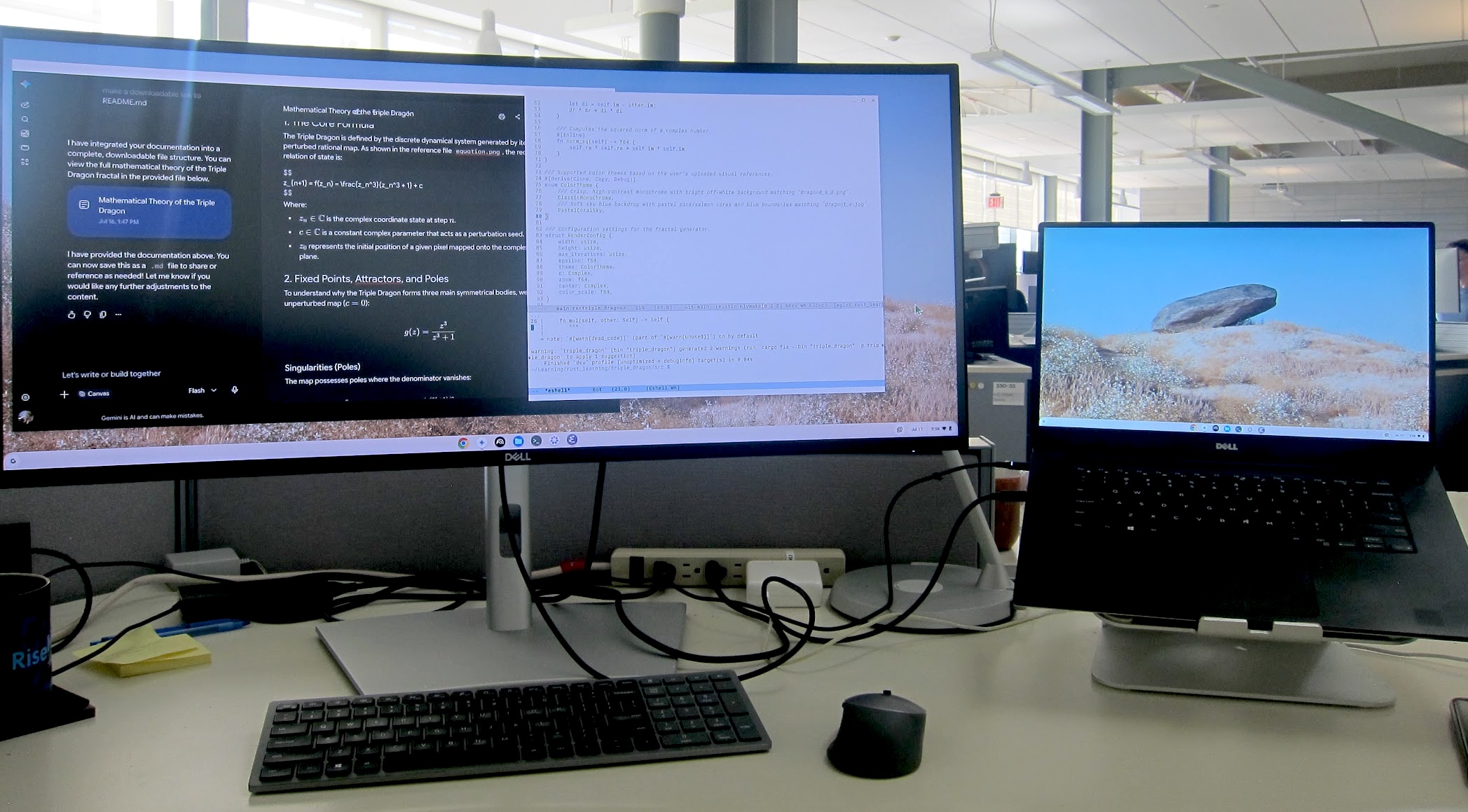
Why ChromeOS Flex?
The laptop arrived with Ubuntu. I later tried Manjaro, but the GNOME desktop felt a little heavy for this machine. I tried the Xfce desktop next — it only helped a little.
The main reason for trying ChromeOS Flex was less about performance, and more about my poor eyesight. On my external 34-inch monitor I need fractional scaling (at least 2.25). Linux desktop support for that has been hit-and-miss, ChromeOS Flex seems much less fussy.
Installation
Installation was simple. I used an 8 GB USB stick for the installer and booted the laptop from it. Following the normal ChromeOS Flex setup took less than 15 minutes.
Note: on Dell laptops, press
F2to enter the BIOS and change the boot order.
One Bluetooth hiccup
Bluetooth did not work at first. Oddly, after I enabled the Linux development environment and rebooted, Bluetooth came alive.
Development in Linux
Linux initially provided Debian 12, so I updated it to Debian 13 first.
My setup is very simple:
- Vim for quick edits.
- Emacs for IDE-like work, including auto-completion and Eglot/LSP.
- Python and FastAPI for middleware work.
- Rust for small system tools.
- Docker for containers.
- pi.dev with the internal hosted AI model.
So far, everything I need works well in the Linux container.
Conclusion
ChromeOS Flex has made this old laptop feel quick and smooth again. The display scaling is comfortable on the large external monitor. Debian remains stable and capable for my development work, while ChromeOS handles the desktop side without asking much of the aging hardware.